
Starts and calculates
No splash ad, no progress bar: the app lands on the keypad and shows the result live while you type.
Android · German & English · works without a network
QuickCalc opens straight onto a working keypad, calculates locally and stays quiet: no ads, no account, no permissions.
The everyday calculator without the ballast: operator precedence, brackets, percent, sign change — and the things you need daily, without hunting for them.
No splash ad, no progress bar: the app lands on the keypad and shows the result live while you type.
The app does not even hold the internet permission. It cannot send anything, even if it wanted to.
Every calculation stays in a list, newest first. Tap an entry to keep calculating, delete single entries or all of them.
MC, MR, M+ and M− like a pocket calculator — an active memory is visibly marked.
“.” or “,” as decimal separator, thousands separator of your choice, rounding to 0, 1 or 2 places — the number is shown for example as 1 234.50.
Material 3, following the system or your own choice. Both stay readable.
Short paths for the cases that would otherwise need a scrap of paper and some mental arithmetic.
5, 10, 15, 20 per cent or your own rate, split evenly between people — per person or with the remainder.
X% of Y, X as a percentage of Y, increase and decrease — three questions, one screen.
What is left to pay after a percentage or fixed discount, including the amount saved.
Net to gross and back, with your own default rate (8.1% out of the box) — set it once and reuse it.
Material 3, large digits, everything reachable with one hand. The screenshots show light mode; the app follows the system.
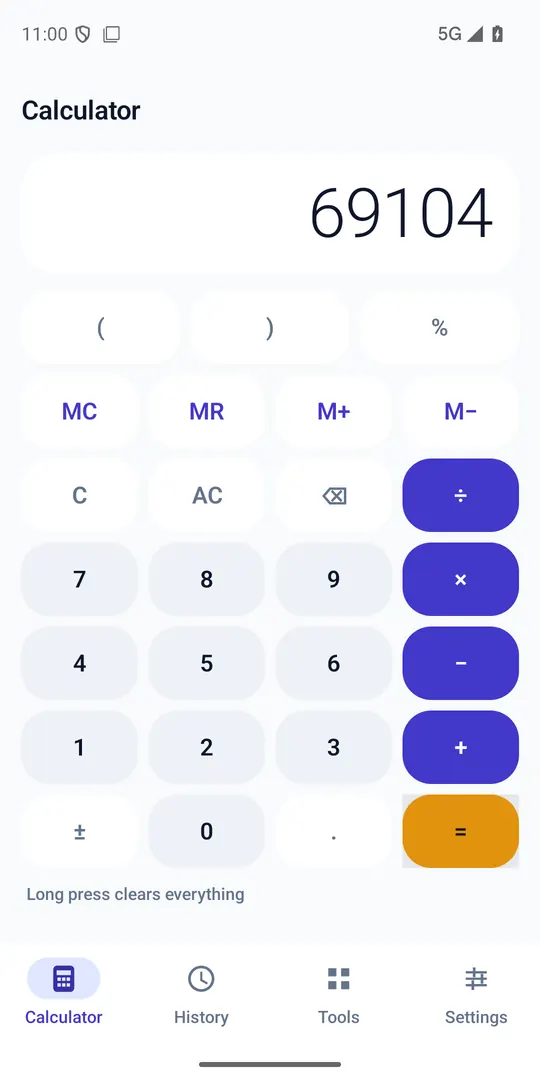
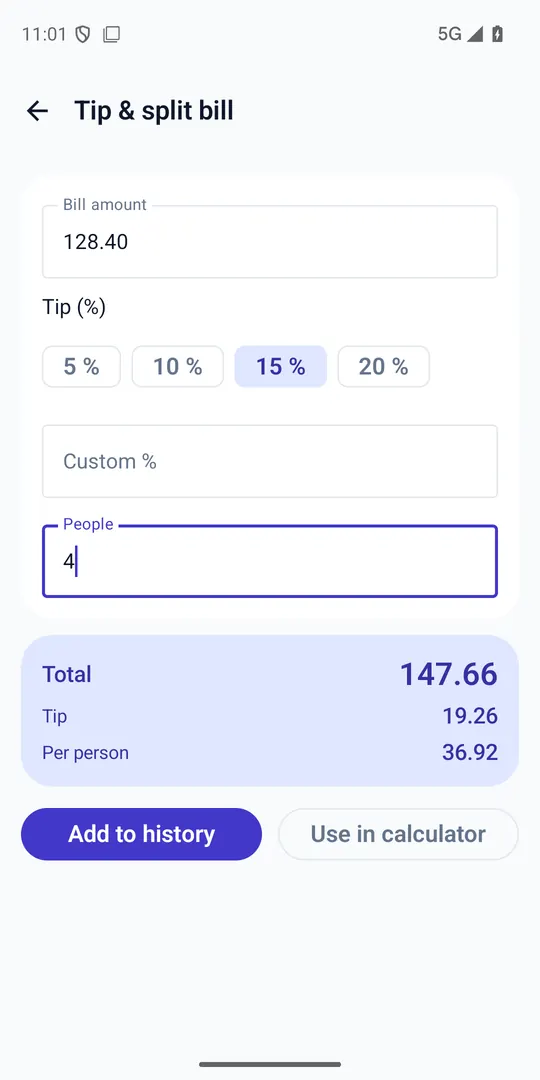
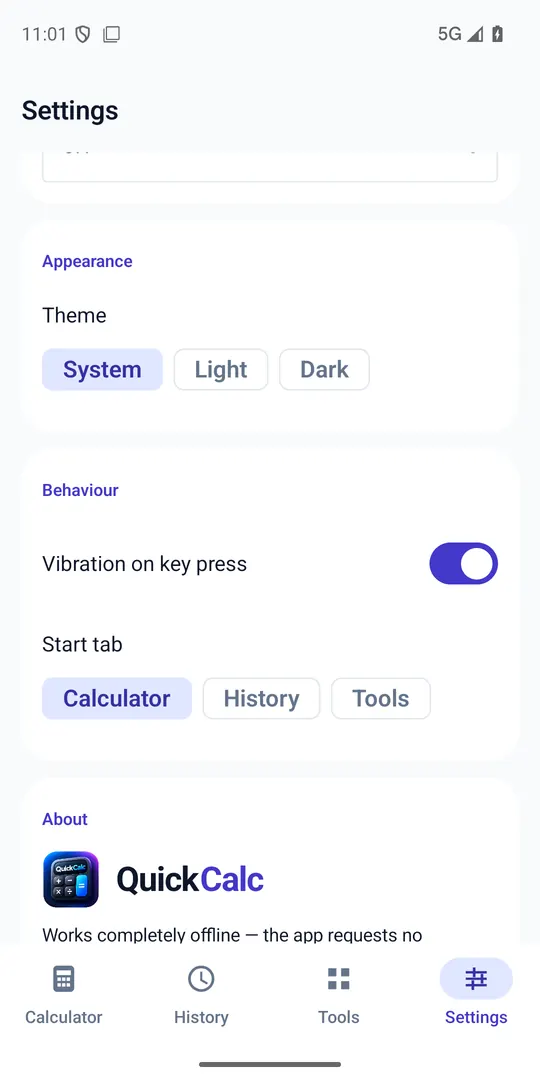
QuickCalc is small because it leaves things out. Those are decisions, not unfinished corners.
The app contains no networking code and asks for no permission at all. History and settings live on the device only. There is nothing to sync, nothing to measure and nothing to sell.
Answered briefly — technically accurate, not promotional.
Because it does not need any. Calculating, history and settings happen locally; there is no code path that reaches the network. That is also why the Play entry says “no data collected”.
In a local database inside the app's storage. It disappears with the app if you uninstall it. No backups happen — not even by us.
German and English, both complete. The app follows the device language; number and date formatting follow your region rather than a hard-coded rule.
Yes. Tapping an entry puts its result back into the keypad so you can carry on calculating.
Decimal, with operator precedence and brackets. The value is rounded for display only; calculations continue with the full precision.
No. QuickCalc is free and stays free; there is no premium tier, no subscription and no in-app purchase.